iPhone · coming soon

Cut your video
to the beat.

BeatRazor turns anyone's camera roll into a beat-synced music video in seconds. Pick a song, add clips, and the app analyzes the music entirely on-device, detecting the beat grid, sub-bass drops and snare fills, then builds an edit where every cut lands on the rhythm.

On-device beat detection Your own music Beat-synced effects Hands-on timeline One-tap sharing Silent export for TikTok Cuts down to ¼ second No account, no tracking
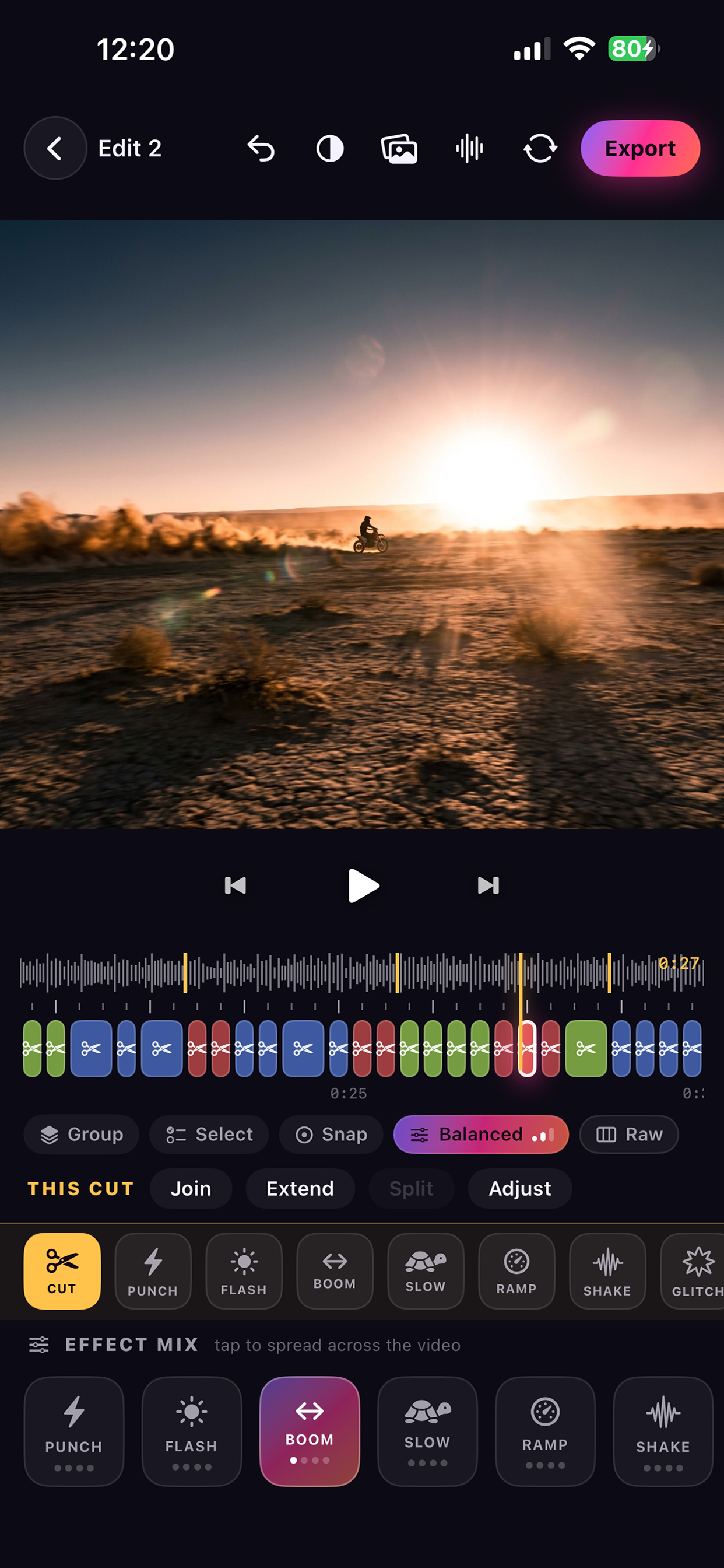
BeatRazor editing timeline on iPhone
How it works
01Analyze

Pick a song

Choose the track first. BeatRazor reads the beat grid, sub-bass drops and snare fills on-device.

02Trim

Add clips

Pull anything from your camera roll. A trim picker with a live preview lets you watch, scrub and mark exactly the moments worth using.

03Cut

Get an edit

Cuts land on the rhythm, drops hit with a scene change. Share to social in one tap, or export silent and add the trending sound on TikTok or Reels. The platform's licensed music covers your post instead of striking it.

A timeline you can feel

Every cut is a physical thing. Tap one to jump there, hold and drag to move it, flick up to duplicate it, flick down to delete it. Split, merge and trim without ever leaving the rhythm, because every gesture snaps to the beat grid. Pinch out for the whole song or in for a single cut, with gold markers on every drop.

  • Move, split, merge, trim
  • Per-cut effects
  • Protect through re-edits
  • Multi-select and groups
  • Snap to the waveform
  • Everything undoable

Six editing personalities

One dial scales the whole edit at once: how often it cuts, how long a clip holds the screen, which clip comes next and where in the footage it opens. Switch the personality and everything re-cuts itself around the cuts you've protected. The same level always rebuilds the same layout, so you can flip between them and land back exactly where you were. Tap one:

Raw Smooth Balanced Wild Extreme Ludicrous

The sweet spot. Cuts land on downbeats and drops, clips mix without chaos.

0:00SNAP TO BEAT0:27

Video effects that land on the hit

Hover any card to fire its effect again
PUNCH

Zoom snaps in on the hit, then settles

BOOM

Plays the moment forward, then straight back

REV

Plays the whole cut backward

RUSH

One beat, three rapid sub-cuts of the clip

HALF

Splits one beat into two rapid sub-cuts

JUMP

Plays, then skips ahead like a time-lapse

ZBLUR

A radial blur burst from the center

VERTIGO

Dolly-zoom push while the lens swells

SHAKE

Handheld camera shake kicked off by the hit

FLASH

A camera-flash pop of light on the beat

SLOW

Drops the cut into slow motion

RAMP

Speed climbs as it runs into the next cut

GLITCH

Tears the frame into shifted RGB splits

CHROMA

Lens color fringe that breathes with the beat

HUE

Spins the colors through a full hue cycle

ZOOM+

A slow push-in across the whole cut

CINE

Widescreen letterbox bars, instant film look

FADE

Fades the cut out to black

+ MORE

New looks land in updates

Switching from Beatleap?

Built where auto-editors stop

BeatRazorBeatleap
Edit individual cuts: move, split, merge, trim ✓Every cutLimited
Your edits survive a re-edit ✓Protect any cut—
Use your own music files ✓Any audio fileIn-app library
Full-song edits ✓With Pro1-minute cap
Pay once, keep forever ✓$49.99 lifetime—
Actively developed ✓Shipping now27-month update gap (2023–25)
Billing $4.99/mo · $29.99/yrWeekly subscription

Beatleap comparison reflects its public App Store listing and user reviews as of August 2026 (v1.7.7). Both apps evolve, so check current listings before deciding.

Pricing

Honest, and never weekly

Free

$0 · no account
  • The full editor, every effect
  • 30-second edits
  • Watermarked exports

Pro

Full-song edits · watermark-free exports
$4.99Monthly
$29.99Yearly · 3-day free trial
$49.99Lifetime · pay once
No weekly subscription. Ever.

All billing runs through Apple: subscribe, upgrade or cancel any time in your App Store settings. The price shown is the price charged.

Under the hood

Built end-to-end on Apple technologies

SwiftUI
Throughout, every screen.
AVFoundation
Composition driven by a custom Core Image / Metal video compositor for real-time effects.
AVAudioEngine
A sample-accurate preview clock, so what you see is what exports.

Your camera roll is
already a music video.

Coming soon to the App Store
Get notified at launch